TranslateGo and the hardest part of travelling abroad: talking to strangers
Photographing a menu or typing an address is second nature to travellers now. The hard part is asking the person behind the counter a follow-up question and understanding the answer. Version 2.0 of TranslateGo, the voice translation app built by ToanKhonTech, puts its effort into exactly that moment.
Version 2.0, released on 23 October 2026, concentrates on live conversation; file translation is paused for now.
Two people speak two languages, and the original and the translation sit in a single conversation, across 60 languages and 28 voices.
On iPhone it works straight away without an account: 5 free minutes per UTC day, up to 60 minutes a month.
Anyone who travels independently will know the scene. In a small noodle shop in Osaka, a visitor holds up a phone to the handwritten menu board, waits a few seconds for the translation to appear, then points at dish number three. Ordering goes smoothly enough. The trouble starts when he wants to ask whether it is spicy, and whether they could leave out the spring onion. The owner smiles and answers in a rush of Japanese. The visitor bends over his phone to type, word by word, while the two people queuing behind him start checking the time.
Illustration: asking a follow-up question about a dish by voice instead of typing it word by word.
Printed text stays put, so a photo is a sensible way to read a sign or a menu. A hotel address or a booking code is safest typed out. A conversation is a different animal: two people, two languages, each waiting on the other. A few seconds of delay and the exchange goes cold.
Company blog
Read next
That is the gap TranslateGo is aimed at. The two-way voice translation app comes from ToanKhonTech, a website, mobile app and software company in Ho Chi Minh City. It first appeared on the App Store on 5 May 2026, and within two days a pair of updates had added dark mode and fixed a bug that stopped audio playing after a translation. On 23 October, version 2.0 arrived with a less common kind of decision: it took a feature away. The release notes say this version focuses on live conversations and that file translation is temporarily unavailable.
In other words, TranslateGo is not trying to be a dictionary that does everything. It does not read text through the camera, and it is no substitute for typing out an address precisely. It is built for the moment when two people stand face to face, one asking and the other needing to understand in order to reply. That is often when a traveller feels most lost, at a pharmacy counter late at night, say, or in a taxi when the driver wants to double-check the destination.
Two languages on one screen
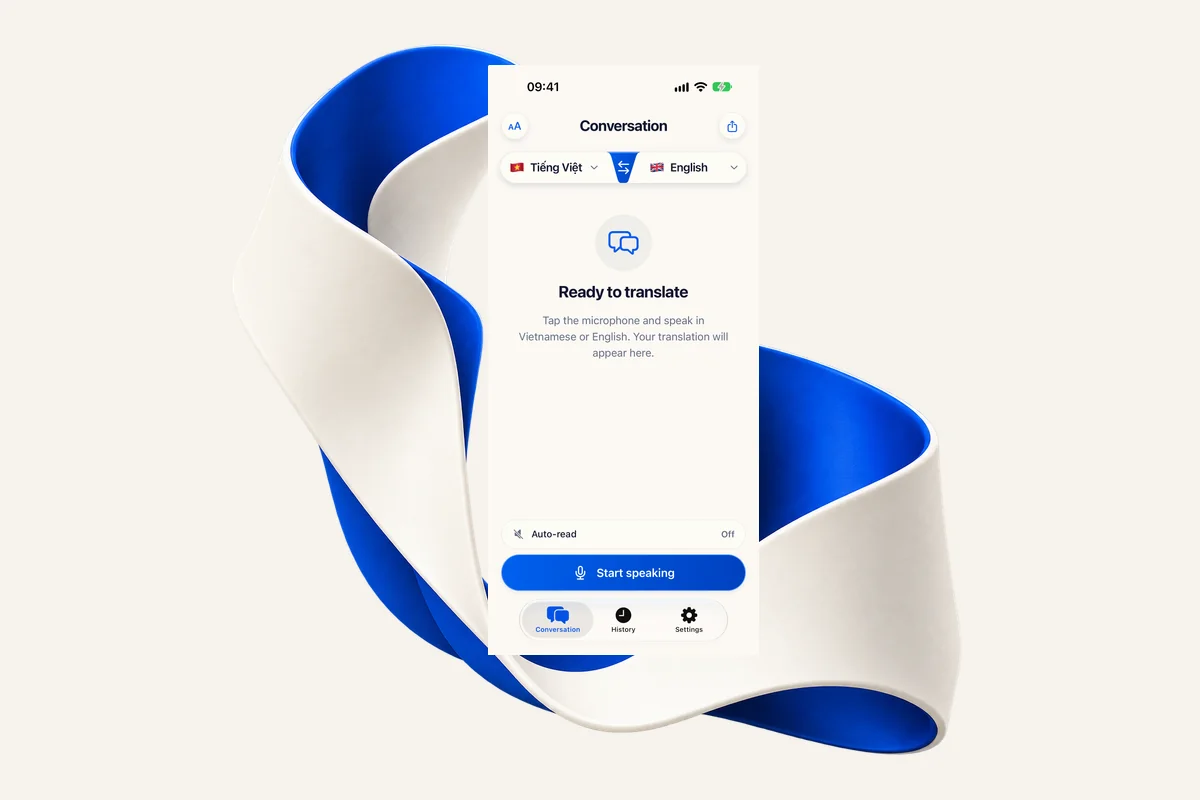
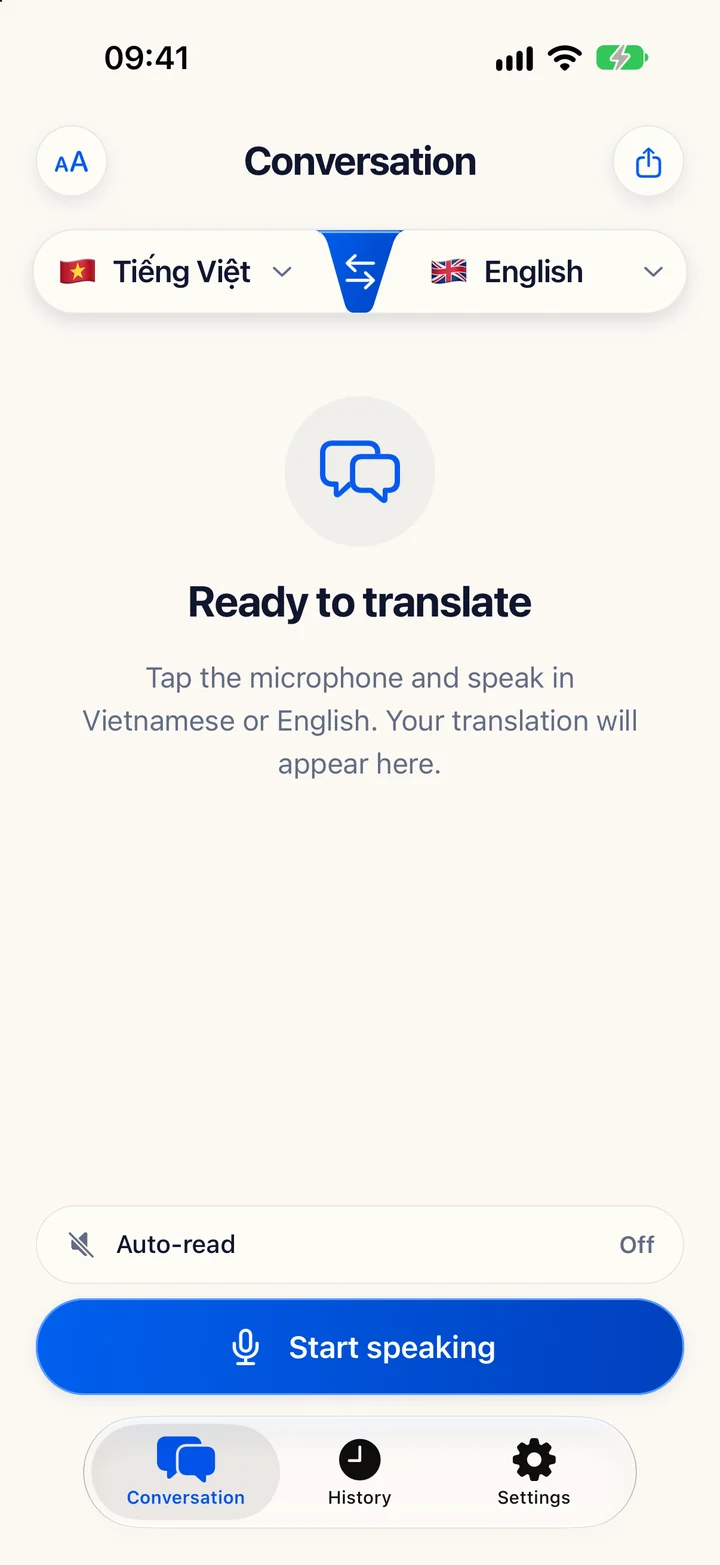
The app barely needs explaining. You pick two languages, tap the microphone and speak. Your words appear, with the translation just below. When the other person answers, their reply is translated back and added to the same conversation. ToanKhonTech's product page shows it with a simple greeting: "Rất vui được gặp bạn" becomes "Nice to meet you", and the reply, "It's lovely to meet you, too", comes back as "Tôi cũng rất vui".
TranslateGo's Conversation screen on iPhone: the two languages at the top, with the speak button and the auto-read option below.
Keeping both sides in one thread sounds like a small thing, but anyone who has used a tool that translates one sentence at a time knows the frustration. By the fifth sentence, nobody remembers what the second one said. With the history right there on screen, a quick scroll up shows what the other person just asked and how you answered.
The app supports 60 languages, among them English, Spanish, French, German, Italian, Portuguese, Japanese, Korean, Chinese, Arabic and Vietnamese. Each language is listed under its own name, with a familiar visual cue beside it. At a hotel desk, you can turn the phone around and let the receptionist find their language instead of guessing.
The screen only solves half the problem. Back at the noodle shop, the owner has a ladle in one hand and is in no position to lean over and read small print on a customer's phone. So TranslateGo has an auto-read mode: at the end of each turn, the translation is spoken aloud. If you would rather the phone kept quiet, you can switch it off and tap any passage to hear it again. There are 28 voices to preview before choosing one, since the voice that suits asking for directions on the street may not suit a meeting with a business partner.
Translated text can be enlarged, and the interface comes in light and dark versions, which helps when you are squinting at a screen in the midday sun at a bus station.
Illustration: each turn is a beat, and the translation is read aloud when auto-read is on.
Minutes, microphones and patchy signal
The late-October updates deal mostly with what happens around the translation.
On iPhone, you can start translating without creating an account, so nobody standing at a ticket counter has to enter an email address or invent a password. There are 5 free minutes a day, counted in UTC, up to 60 minutes a month, and unused minutes do not roll over. For more, there is a one-time 60-minute pack whose minutes never expire, or an auto-renewing subscription with 300 minutes a month. Apple handles payment. One thing worth knowing: purchases made on iOS do not automatically carry over to older desktop or web versions of the app.
Version 2.0.1, released on 26 October, changed how the app stops. Tap Stop and the microphone, the translation and the spoken playback all end at once, while the text already received stays on screen. Leave the app or lock the phone and the microphone stops too; when you come back, you tap Start to open a new session. This matters for your minute balance. According to the App Store description, time is counted on the audio processed during active translation, silences included, and turning off spoken playback does not change that. Sitting there thinking about your next sentence with the microphone still on means the clock is still running.
Live translation needs an internet connection and access to the microphone, and mobile signal on an underground train or out in the suburbs is rarely steady. The same update made reconnection more reliable after brief outages, kept the conversation text already received, and added clearer notices when the connection is slow or a sentence is cut off. Time spent waiting to reconnect is not counted.
Conversation history is encrypted on the iPhone itself. You can search it, pin entries, add tags and name each session, copy a whole exchange or export it as a PDF or TXT file to send to a travel companion. History does not sync automatically to other devices, so a conversation stays on the phone where it happened. In the privacy details declared on the App Store, the developer says audio data is used for app functionality and is not linked to the user's identity.
Illustration: history stays on the phone, and can be pinned, tagged or exported as PDF or TXT.
Before you go
However good voice translation gets, it still depends on how people speak. Short sentences, one idea at a time, usually come out cleaner than one long sentence carrying three questions. In a market or a station, holding the phone closer to whoever is talking does more than raising your voice. If you are crossing several countries on one trip, check the language pair each time you arrive somewhere new; get it wrong and the first sentence is wasted.
For street names, room numbers and booking codes, voice is not the safest bet. Typing it out, or showing the other person a document, is still quicker and less error-prone. For things that really matter, such as a food allergy or a medical condition, it is worth translating the sentence at home, pinning it, and simply opening it when the moment comes.
Once the talking is done, the next question at a market stall is usually the price. ToanKhonTech has another app for that, Travel Currency Go, which converts between 166 currency codes, lets you add, subtract, multiply and divide on the conversion screen, and falls back on saved exchange rates when you are offline.
TranslateGo is available for iPhone and iPad running iOS 16.4 or later on the App Store, for Apple Silicon Macs running macOS 13 or later as a macOS download, for Windows 10 and 11 as a Windows download, and as a web app that runs in the browser. There is no Android version yet; in the meantime, Android users can open the web app. More details are on the TranslateGo project page.
The sample conversation on that page ends with "Hẹn gặp lại", and beneath it the translation: "See you again". For a translation app, there may be no simpler measure of success than two strangers finishing a conversation and wanting to meet again.
References
Sources used to check this article. Any ToanKhonTech test results are identified separately in the text.