EMBER: restaurant website design, from food imagery to a 3D burger
Five portrait food scenes, a layered 3D burger and a drawing-to-photo reveal: ToanKhonTech shares the design decisions behind the EMBER restaurant website.
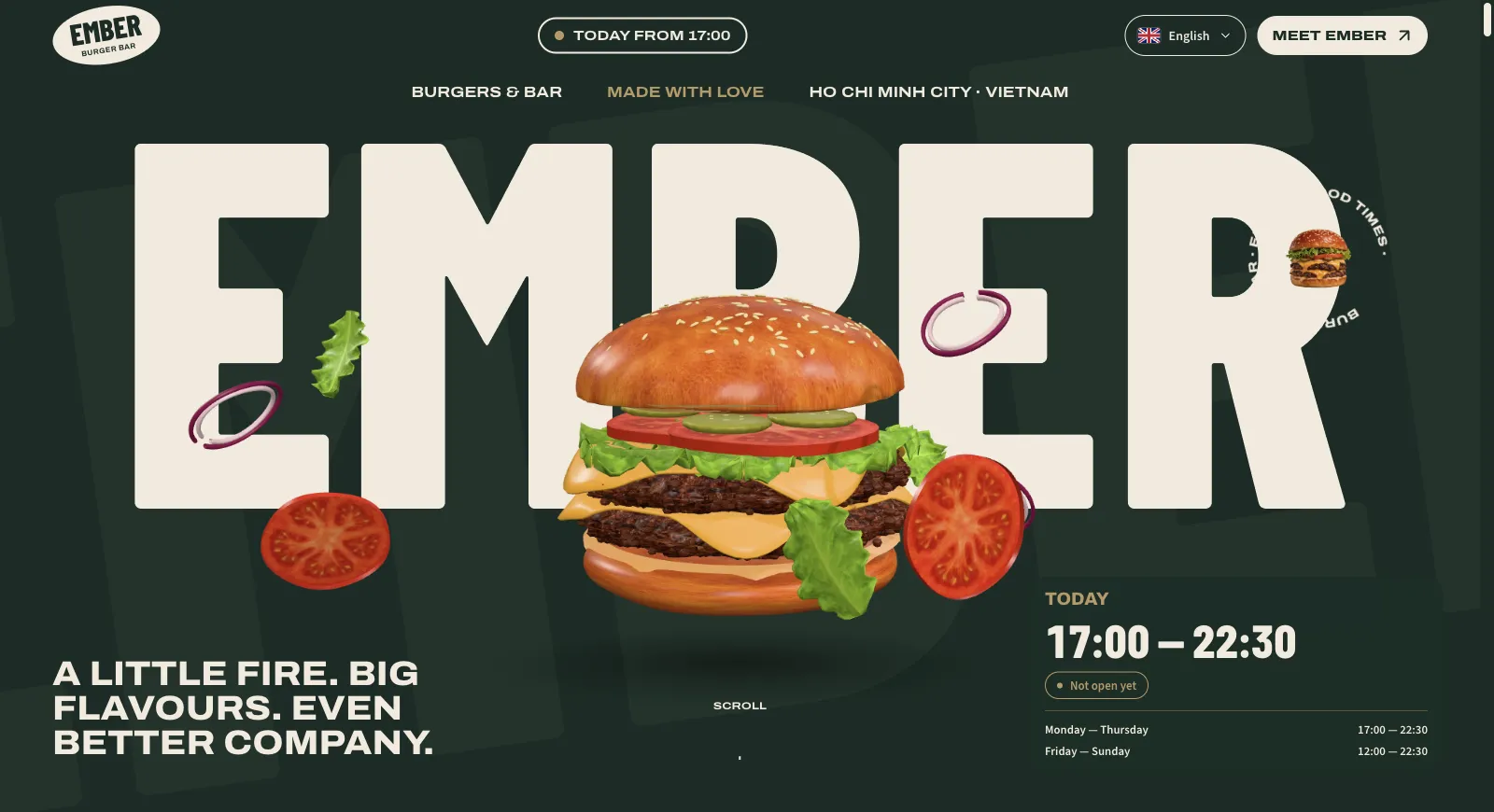
Photo: ToanKhonTech, capture of the public EMBER website
Key points
Five portrait scenes introduce food and the brand palette together.
A 3D burger and matching image compositions give motion a specific purpose.
Visit information, language choices and functional limits remain part of the experience.
A burger can begin a restaurant's story: the toasted bun, cheese and beef give visitors a reason to pause. A website must also answer practical questions: what is on offer, when does the restaurant open, and where can the visitor find the relevant information? For EMBER, ToanKhonTech connected these needs in a single journey.
EMBER is the public name of a delivered project completed through collaboration with a client and a third party. Brand identity and restaurant details have been changed for confidentiality. This article covers only the work approved for publication; the public experience does not accept reservations, orders or payments.
Five portrait scenes let the food speak first
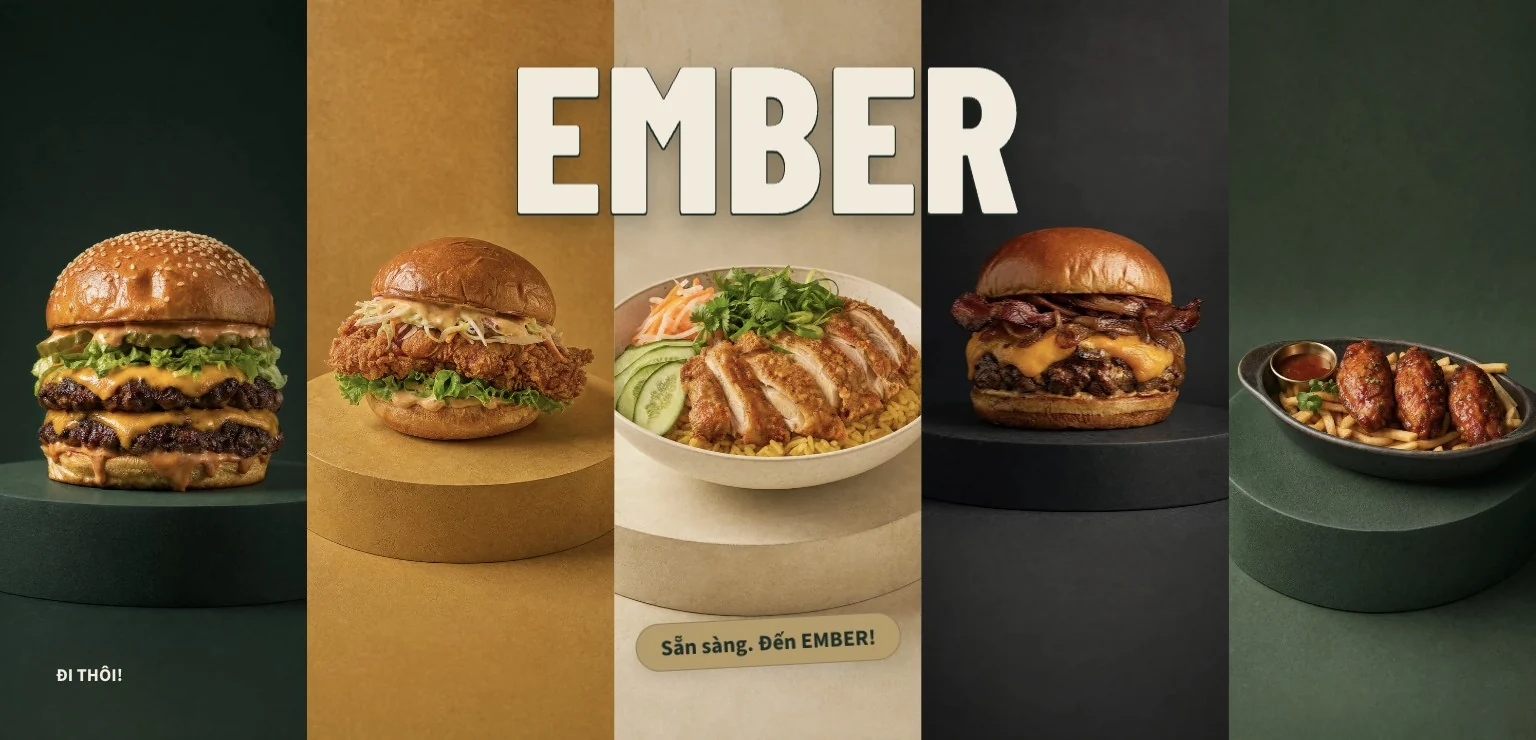
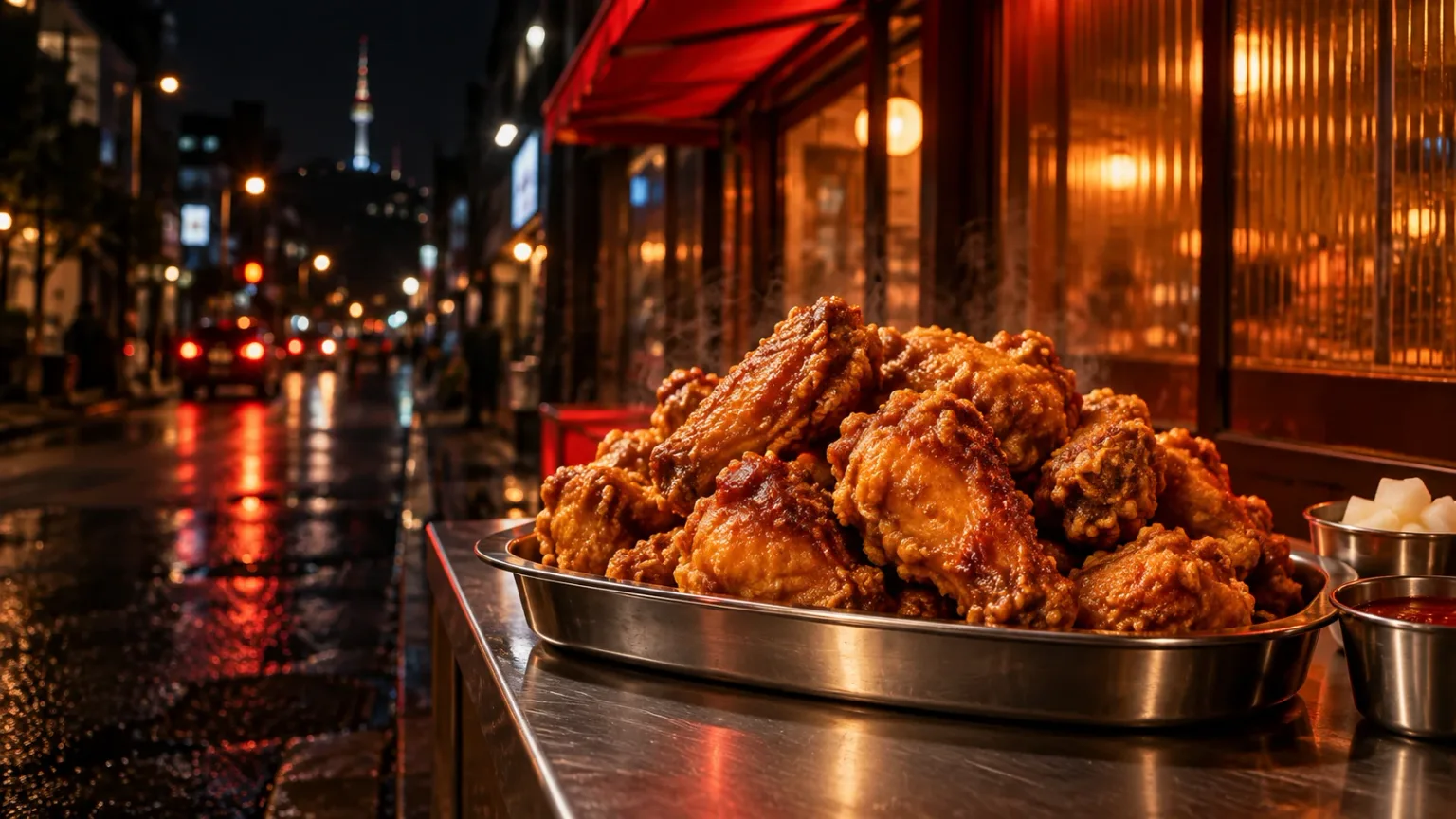
The introduction is divided into five vertical panels. Each contains a complete food scene, with its own background, lighting and product position. Beef and chicken burgers, chicken rice and side dishes vary the silhouettes, while forest green, warm ivory, brass and darker tones hold the collection together.
The image preparation matters. A food cutout on white often needs a separate background, shadow and display surface. In the direction selected for EMBER, the product and its setting already belong to the same frame. Lighting and empty space are considered while producing the collection, rather than being left for assembly on the page.
Company blog
Read next
The introduction uses an appearance transition without zooming in or out. This is a deliberate choice for this experience: food and colour create the impression, while movement controls the pace. An opening scene does not need constant camera movement to hold attention.
A 3D burger explains what a still image cannot
The burger in the next section is authored in Blender and displayed through Three.js. As visitors scroll, the bun, beef, cheese and vegetables separate in sequence. The model explains the structure of the dish instead of merely spinning to make the page look unusual.
Food imagery and the 3D model have different jobs. Images establish texture and lighting at first glance; the model shows how ingredients relate as they move. Proportions, colours and defining features therefore need to remain consistent between the two. Visitors should not see one burger at the beginning and a completely different product farther down the page.
EMBER uses GSAP to organise scroll-controlled motion and Lenis to support the scrolling rhythm on appropriate devices. These tools serve the chosen narrative. Content and routes to practical information still need to remain clear when reduced motion is enabled.
Two images must align for a reveal to work
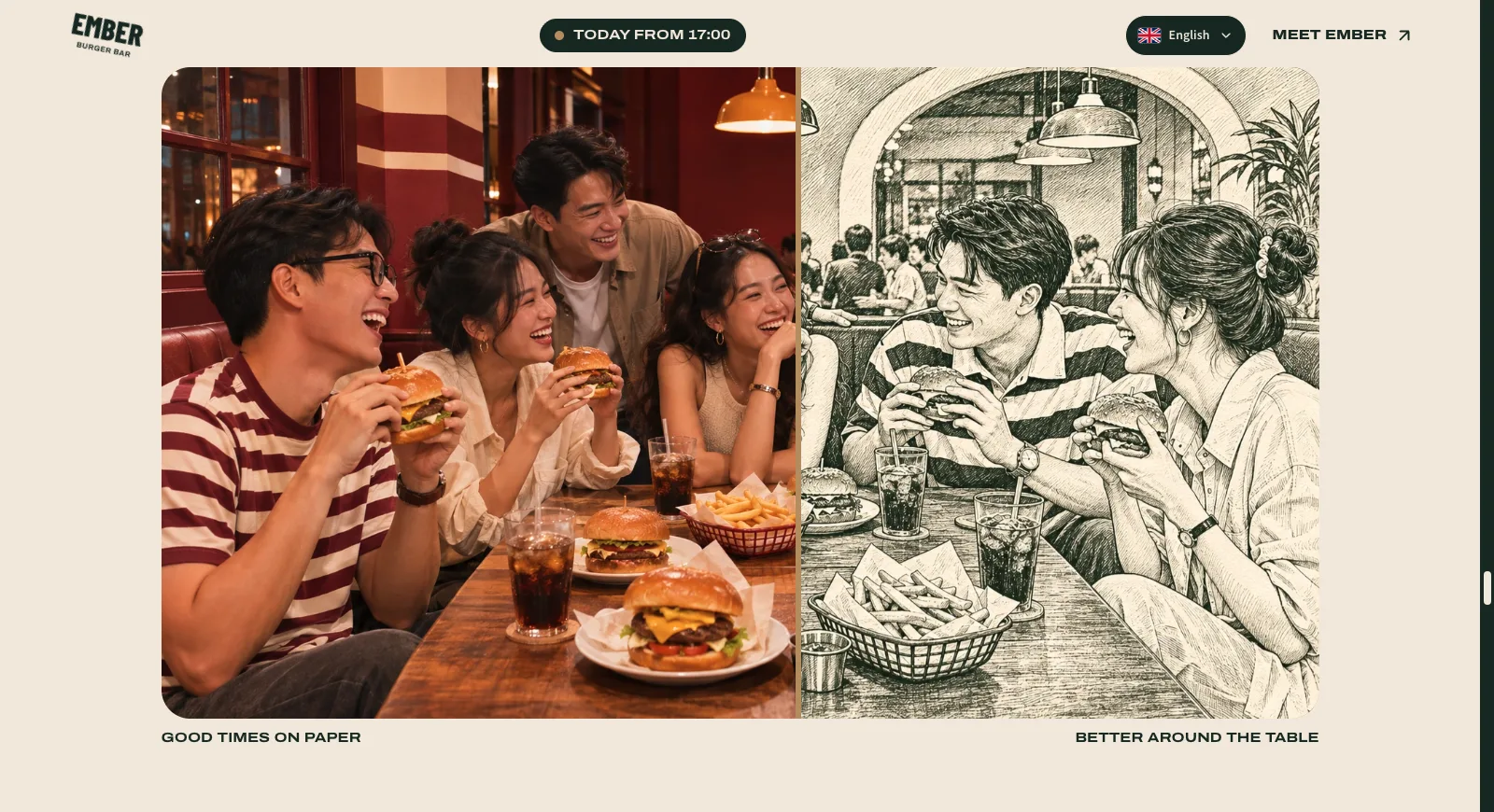
The friends section layers a photographic-style image and a line drawing. A moving boundary gradually reveals the table scene as the visitor scrolls. For a continuous transition, both images need to preserve the positions of people, table, food and camera viewpoint.
Two scenes with the same subject are not enough: people and objects will jump at the boundary if their positions differ. With matching compositions, visitors recognise one scene changing its visual treatment. This small preparation detail determines much of the effect's continuity.
Website capture of the reveal. The table scene is creative imagery for the public version, not documentary photography of the client.
Practical information follows the exploration
Opening hours need to distinguish today's schedule from the weekly timetable. The language selector needs to identify Vietnamese, English and Simplified Chinese. The map needs a clear destination. These details are less conspicuous than a 3D model, but directly affect how people read and use the page.
The public EMBER version uses changed restaurant details to present the layout and interactions. Its address, hours and reservation button must not be used to infer the original client's operations. For a restaurant website in service, those fields need to be checked with the business and connected to actual reservation or ordering systems where required.
The website includes Vietnamese, English and Simplified Chinese content, with layouts for desktop and phones. Review needs to cover Vietnamese accents, viewport height and image cropping on narrow screens. A translated language-menu label alone does not make a page fully translated.
What the EMBER approach can teach a restaurant project
Before selecting effects, identify the signature food and the action visitors need to take. Then plan the images around their use: portrait scenes for the opening, suitable views for the model, and matching compositions for the reveal. Every asset has a job. Quality depends on the connection between images as well as each image on its own.
Integration scope also needs to be explicit. Brand presentation, reservations and online ordering are separate pieces of work. Accepting orders involves prices, item availability, service areas, payment and order management. A button alone is not an ordering system.
This article records design decisions and a working website. We have no project revenue, conversion or search-ranking figures to publish. What can be examined directly is the connection between food imagery, motion and practical information within one experience.