Model Context Protocol (MCP): connecting AI agents to internal business data safely
MCP separates data integration from individual AI models, yet production rollouts still require per-user permissions, audit logs and defense against indirect prompt injection.
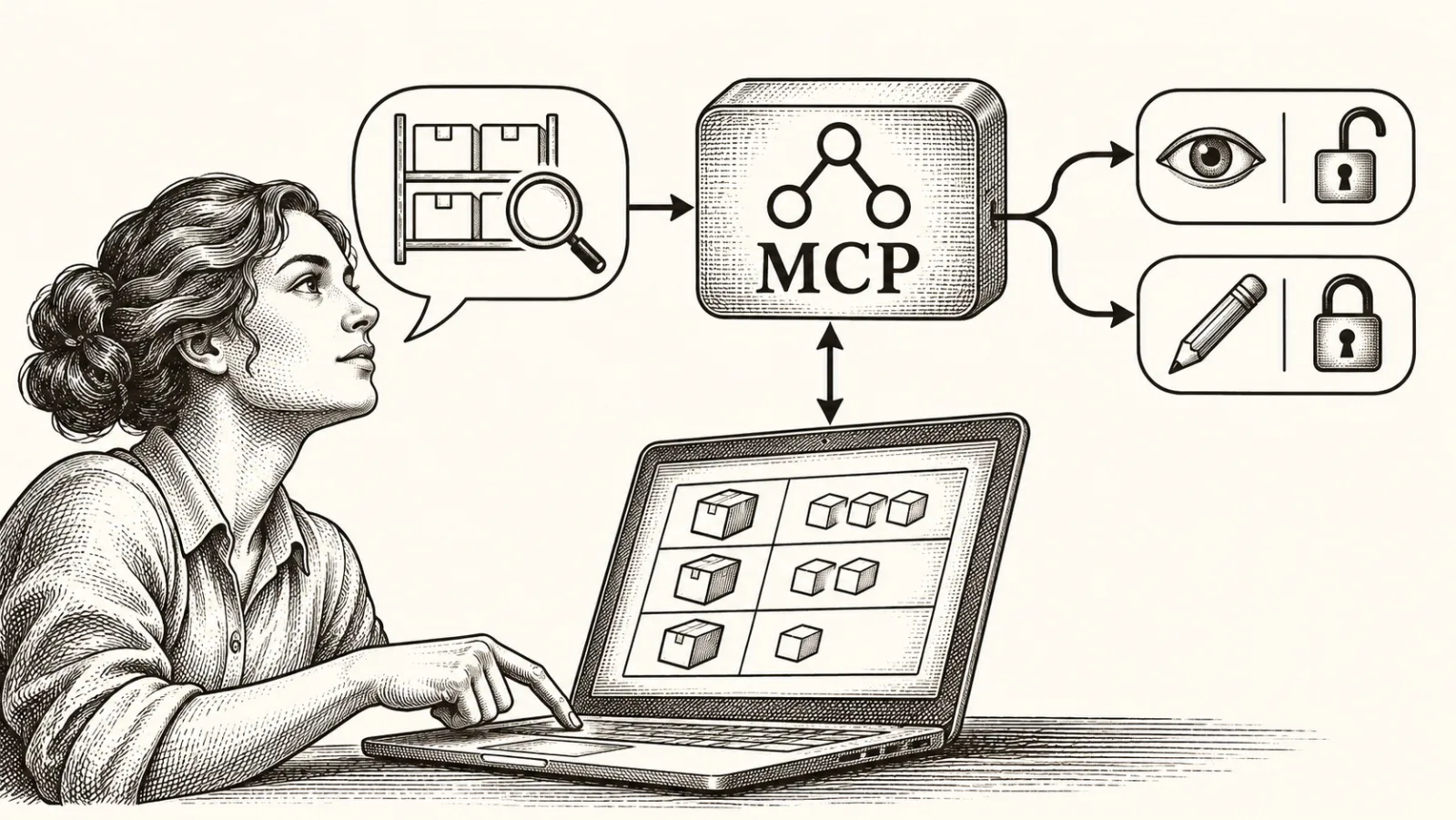
MCP standardizes two-way communication between AI hosts/clients and internal data servers, reducing rewrite work when models change.
Enterprise deployments over ERP, DMS or CRM data must separate read-only tools from write actions and enforce end-user identity rather than a shared admin key.
MCP does not automatically block indirect prompt injection and should not replace deterministic APIs for fixed, low-latency workflows.
When companies bring AI assistants into daily operations, the first bottleneck is rarely the language model itself. The real bottleneck is integration: each AI interface (an internal chat portal, a coding environment or an automation runner) expects its own glue code to reach databases, document stores, CRMs and operational tools. With 4 AI applications and 6 internal data sources, an engineering team quickly ends up maintaining dozens of fragile connectors.
Model Context Protocol (MCP), an open standard initiated by Anthropic and maintained at modelcontextprotocol.io, addresses that integration layer directly. Instead of writing custom wiring for every model-to-system pair, teams expose internal data and capabilities behind a standardized MCP Server; any MCP-compatible AI application can then speak the same protocol.
How MCP fits into software architecture
According to the official Model Context Protocol specification, the architecture separates three roles:
Company blog
Read next
Host: The user-facing application (such as an internal web assistant, desktop client or IDE). The Host manages the session, holds conversation state and enforces user approval when sensitive actions are requested.
Client: A protocol component inside the Host that maintains a dedicated one-to-one connection with each MCP Server, discovers available capabilities and forwards structured requests.
Server: A focused service that exposes three standardized primitives: Resources (read-only data such as ledgers, contracts or logs), Tools (executable actions such as querying an order or creating a support draft) and Prompts (reusable task templates for operators).
For transport, the MCP specification defines local stdio connections for desktop workflows and remote HTTP transports for cloud-hosted services. That boundary lets engineering teams deploy MCP Servers right next to existing business APIs or on edge runtimes (such as Cloudflare Workers), keeping authentication and row-level filtering on the server rather than pushing raw database exports into a model context window.
Four guardrails for enterprise MCP deployments
In ToanKhonTech's enterprise architecture practice, the most common mistake during early MCP pilots is giving an MCP Server a single privileged service-account key and sharing it across staff. Around live ERP, DMS, WMS or accounting data, four safeguards belong in place from day one:
1. Enforce end-user identity instead of a shared admin credential
Every request from an MCP Client to an MCP Server should carry an OAuth token or scoped session tied to the exact employee acting in the Host. If a regional sales representative can only view orders from their own branch inside the DMS, the MCP Server must apply that exact same tenant and branch filter. Never rely on system prompt wording to enforce data access rules.
2. Separate read-only tools from state-changing actions
Start initial rollouts with 100% read-only tools (inventory lookup, receivable summaries, policy retrieval). Once a team adds tools that mutate business state (creating draft orders, updating shipment statuses, sending customer messages), classify them by reversibility:
Explicit user confirmation in the Host UI before execution
3. Defend against indirect prompt injection from external text
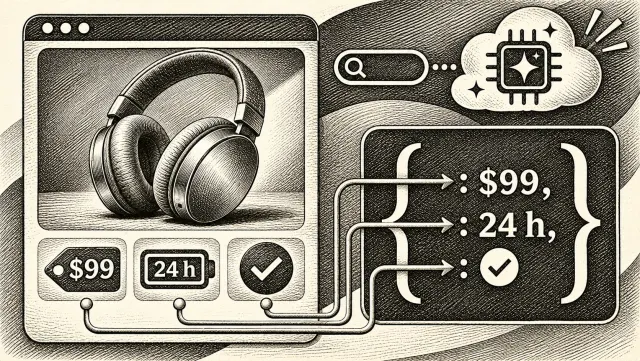
A frequently overlooked threat in MCP setups is indirect prompt injection: the model reads an incoming customer email or order note that contains hidden instructions attempting to steer the agent into calling another tool (such as exporting customer records). To reduce exposure, MCP Servers should return compact structured payloads (only required fields, stripping raw HTML or scripts), validate every write tool parameter against a strict schema, and keep untrusted data clearly separated from control instructions in the Host layer.
4. Bound payload sizes, rate limits and audit logging
An autonomous agent can call the same tool repeatedly when a response looks ambiguous. Every MCP Server should enforce per-user rate limits, cap response sizes (preventing tens of thousands of JSON rows from overflowing context windows and inflating token bills), and record structured audit logs capturing caller identity, tool name, arguments, timestamp and execution latency.
Token cost, latency and when not to use MCP
MCP is not a universal replacement for standard software integration. In ToanKhonTech's engineering assessment, two practical constraints stand out:
Tool-definition token overhead: Every tool registered through MCP adds its name, description and JSON schema to the prompt context. Attaching 40 to 60 tools to a single session can consume thousands of input tokens on the very first turn while increasing tool-selection errors. Grouping MCP Servers by department or narrow workflow (typically 5 to 12 focused tools per task) keeps both cost and accuracy under control.
Skip MCP for deterministic pipelines: When a workflow follows fixed business rules with zero ambiguity (such as posting daily invoices from sales to accounting), a regular REST API or scheduled webhook is faster, far cheaper and strictly deterministic compared with routing decisions through an LLM.
Scope and limitations
These design guidelines combine the current Model Context Protocol specification with ToanKhonTech's enterprise software architecture practices rather than benchmark measurements on one specific ERP vendor. Remote MCP transports and OAuth authorization details continue to evolve across specification releases; before production rollout, engineering teams should check the latest specification directly and run permission-boundary tests against realistic staging datasets.
References
Sources used to check this article. Any ToanKhonTech test results are identified separately in the text.